Close Menu
    Facebook X (Twitter) Instagram YouTube
    Facebook X (Twitter) Instagram
    Infoeast
    Subscribe
    • Politics
    • Business
    • Academia
    • Tech
      • Consumer Tech
    • Entertainment
      • Sports Watch
      • Music
      • Movie Box
    • Events
    • Spotlight
    • Diaspora
    • Feature
      • Facts
      • People
    • Partner
    Infoeast
    Home » How to Access MTN Router Login in 2026
    Tech

    How to Access MTN Router Login in 2026

    Michael Ndu-okekeBy Michael Ndu-okekeFebruary 28, 2026Updated:March 1, 2026No Comments3 Mins Read
    Facebook Twitter Pinterest LinkedIn Tumblr Email
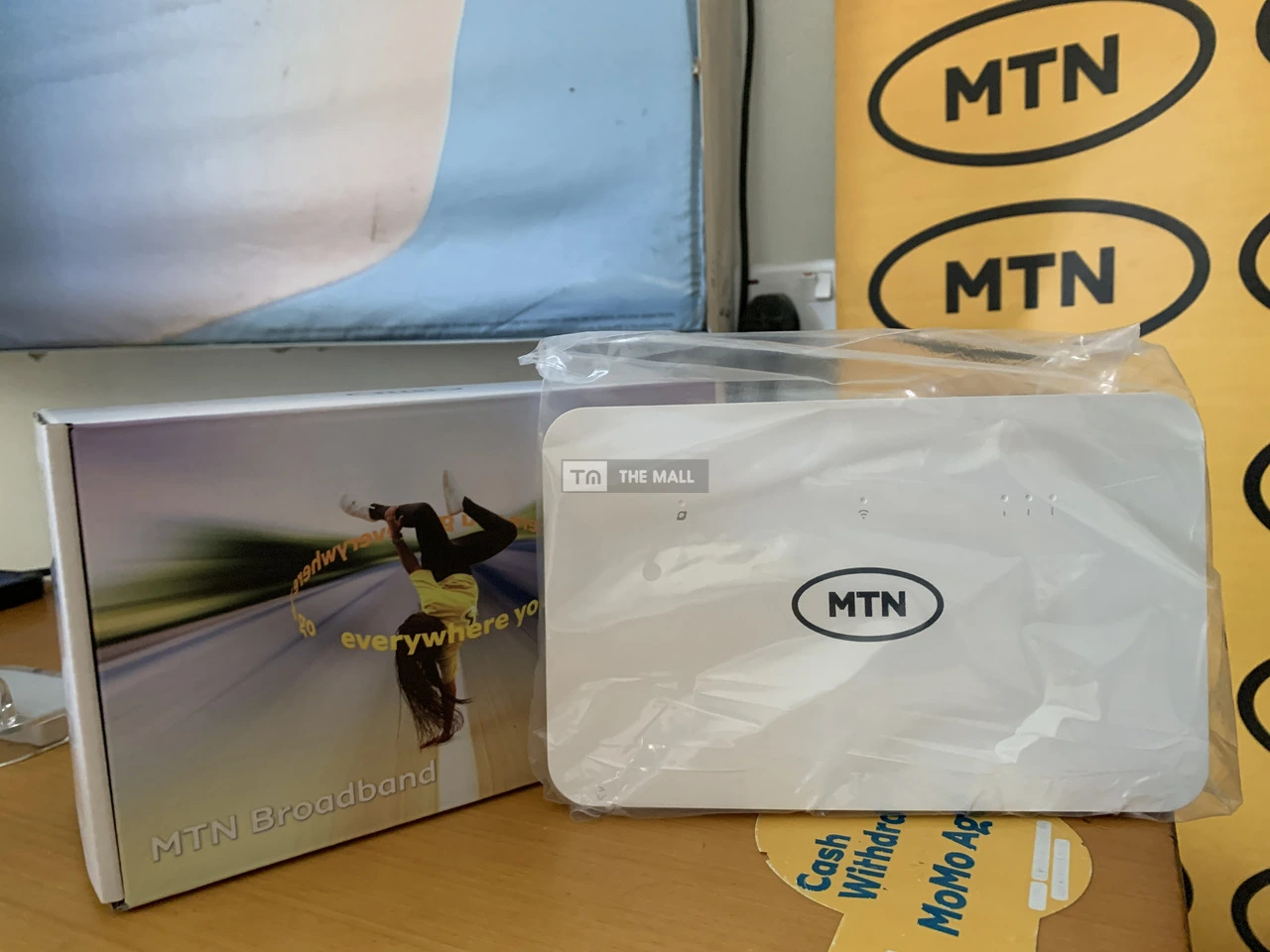
    MTN Router Plans
    Image Credit: Google
    Share
    Facebook Twitter LinkedIn Pinterest Email

    For MTN Router users, accessing its login page can be a hassle if you are not accustomed to its interface. The MTN router is a useful internet resource that provides high-speed connectivity to users. It comes in various forms and specifications, ranging from 4G to 5G. The MTN router is an upgrade over the MTN Mifi edition, which is usually smaller and has lower performance. Most MTN MIFIs are pocket-sized and deliver much lower internet speeds and performance than a router.

    This makes MTN Routers a valued possession for heavy internet users seeking a Home connection or Office server to power their daily activities.

    Main Features of an MTN Router

    As explained earlier, an MTN Router offers superior features compared to other MTN internet resources. Some common features of the MTN router are as follows

    • Connectivity & Speed: MTN’s Flagship 5G router is 10x faster than its 4G counterpart and other Mifis. Mtn Routers can also connect 32 to 64 devices, including smartphones, laptops, smart TVs, and security cameras.
    • Advanced Hardware: MTN routers have advanced hardware features, including a long-lasting battery, Ethernet Ports and Antenna support
    • Personalised Management: MTN Routers feature a personalised management portal that delivers a user experience, including WPS control and parental controls.

    How to Access the MTN Router Login in 2026

    To access the MTN router Login you need to be connected to the router’s network via Wi-Fi or Ethernet and use a web browser to enter its local gateway address.

    Default Login Credentials

    MTN Routers have a default Login credential for all subscribers. MTN router users are expected to log in with these credentials and then change them to their personalised details.

    Feature Setting Alternative
    IP Address 192.168.0.1 or 192.168.1.1192.168.8.1
    Username Admin Admin
    Password Admin

    Step-by-Step Guide to Login

    • Connect to the Router: Ensure your phone or laptop is connected to the MTN Wi-Fi. If you can’t get on Wi-Fi, use an Ethernet cable to plug your laptop directly into one of the LAN ports on the back of the router.
    • Open a Browser: Launch Chrome, Safari, or any mobile browser.
    • Enter the IP: Type 192.168.0.1 into the address bar (not the search bar) and hit Enter. If it doesn’t load, try 192.168.1.1 or 192.168.8.1.
    • Log In: When the MTN-branded dashboard appears, enter the default username and password
    • Change Settings: Once inside, you can change your Wi-Fi name (SSID), update your password, or check your data balance directly from the router’s SIM.

    These are the steps to access and log in to your MTN router in 2026.

    How to Access MTN Router Login in 2026
    Share. Facebook Twitter Pinterest LinkedIn Tumblr Email
    Michael Ndu-okeke
    • Website
    • X (Twitter)
    • LinkedIn

    Michael is a seasoned journalist and editor passionate about reporting accurate journalism bits. His work has featured on Nairametrics, Peoples Gazette, and Techpoint Africa. He is the founder of Infoeast and drives the vision to cover the Southeast region of Nigeria in depth.

    Add A Comment
    Leave A Reply Cancel Reply

    • Features

    Analysis : X-raying Omoyele Sowore’s Strange Protest in Abia State

    March 13, 2026

    Enugu’s New Haier Factory is a Replica of China’s Shenzhen Model

    February 17, 2026

    SEV2050 : The Urgent Need to Move from Ideas to Implementation

    February 6, 2026

    How Ebonyi’s Overseas Scholarship Program Can fix its HDI

    February 4, 2026

    Anambra’s Information Chief Release Security Emergency Numbers

    February 2, 2026

    Where is Our Data : Afia Tv Hosts Debate on Data Gaps in Eastern Nigeria

    February 1, 2026

    Analysis : Inside Nigeria’s N6.69 trillion Bet on Security in 2026

    January 25, 2026

    How Abia is Pushing to Add Agriculture to its Mainstay under Otti

    January 23, 2026
    RSS Globe Watch
    • Iran War Live Updates: Trump Says U.S. Is Considering ‘Winding Down’ War
    • Trump Signals Retreat From Goal of Regime Change in Iran
    • How Geopolitics Threaten K-Pop’s Ambitions in China
    • U.S. Pauses Sanctions on Some Iranian Oil to Get More to Market
    • The Road to the Battle of Hastings in 1066? Maybe Not a Road After All.
    • Oil Prices Tick Up and U.S. Stocks Fall Sharply
    About Us

    Infoeast is the leading new media publication in Eastern Nigeria. We Operate from our five bureaus in Onitsha, Owerri, Aba, Enugu and Abakaliki
    Stay informed and ahead of the curve with our fact-checked Journalism.

    Facebook X (Twitter) Instagram
    Categories
    • Academia (81)
    • Business (323)
    • Consumer Tech (5)
    • Diaspora (8)
    • Events (108)
    • Facts (12)
    • Feature (25)
    • Movie Box (1)
    • Music (6)
    • Partner (12)
    • People (22)
    • Politics (226)
    • Sports Watch (1)
    • Spotlight (2)
    • Tech (76)
    Facebook X (Twitter) Instagram YouTube LinkedIn
    • About Us
    • Advertise
    • Editorial Policies
    • Contact Us
    • Privacy Policy
    • Terms and Condition

    Type above and press Enter to search. Press Esc to cancel.